安装
https://www.wooveep.com/posts/ubuntu-desktop24.04-use-btrfs/
更新initramfs和GRUB
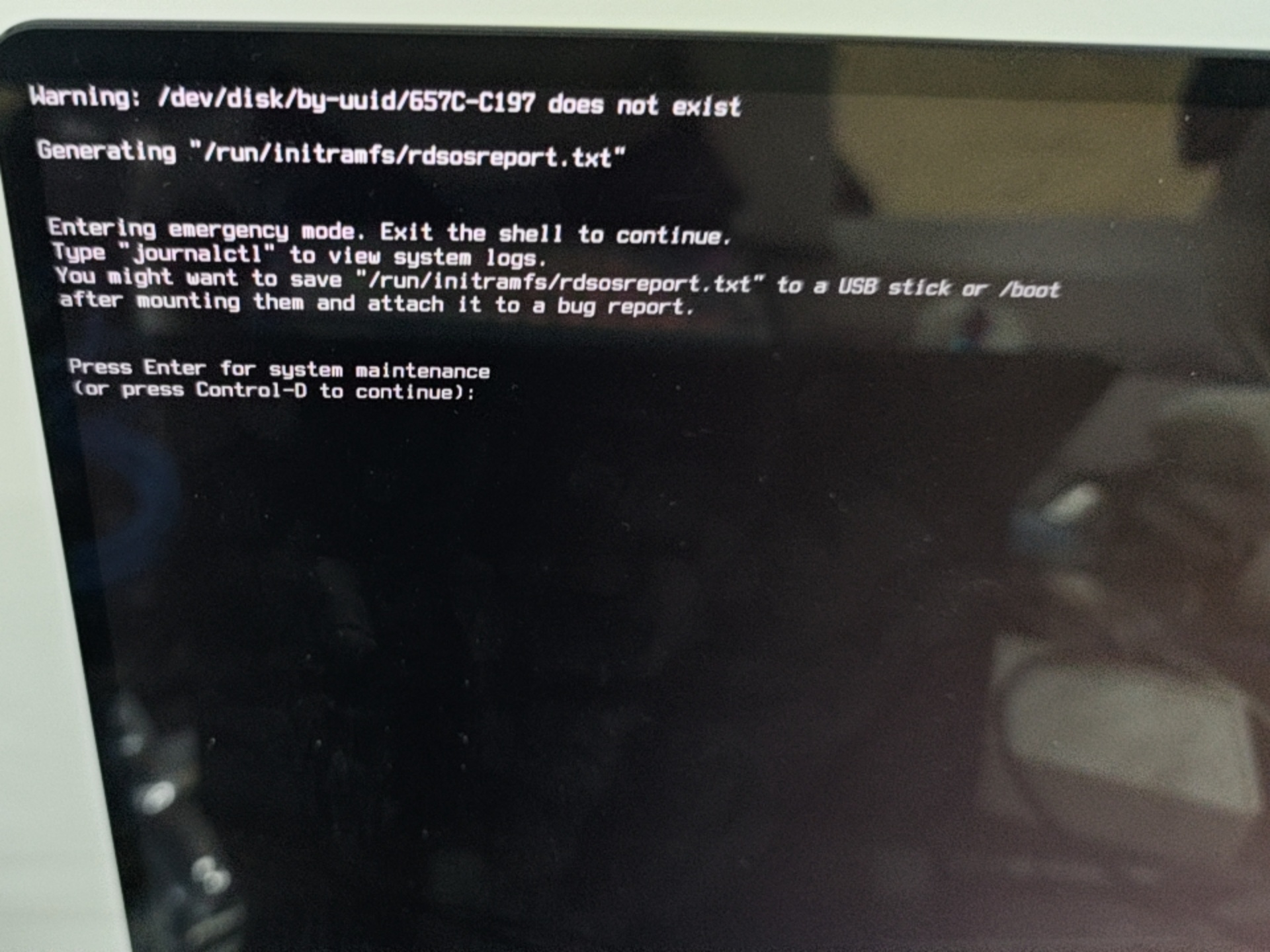
安装了BTRFS后,若更换磁盘导致id变化,需要重新生成initramfs和GRUB。
例如,调整efi分区。

找不到设置的磁盘分区导致超时90s.
1
2
3
4
5
6
7
| [ 13.099878] input: sof-hda-dsp HDMI/DP,pcm=5 as /devices/pci0000:00/0000:00:1f.3/skl_hda_dsp_generic/sound/card0/input28
[ 13.122121] i915 0000:00:02.0: [drm] Selective fetch area calculation failed in pipe A
[ 100.252860] audit: type=1400 audit(1778418880.812:2): apparmor="STATUS" operation="profile_load" profile="unconfined" name=4D6F6E676F444220436F6D70617373 pid=1676 comm="apparmor_parser"
[ 100.252883] audit: type=1400 audit(1778418880.812:3): apparmor="STATUS" operation="profile_load" profile="unconfined" name="balena-etcher" pid=1681 comm="apparmor_parser"
[ 100.252909] audit: type=1400 audit(1778418880.812:4): apparmor="STATUS" operation="profile_load" profile="unconfined" name="buildah" pid=1685 comm="apparmor_parser"
[ 100.252931] audit: type=1400 audit(1778418880.812:5): apparmor="STATUS" operation="profile_load" profile="unconfined" name="QtWebEngineProcess" pid=1677 comm="apparmor_parser"
[ 100.252965] audit: type=1400 audit(1778418880.812:6): apparmor="STATUS" operation="profile_load" profile="unconfined" name="1password" pid=1674 comm="apparmor_parser"
|
使用ubuntu安装盘进入’安装或试用‘Live 环境。
创建挂载点并挂载子卷
1
2
3
4
5
6
7
8
|
sudo mkdir -p /mnt/ubuntu
sudo mount -t btrfs -o subvol=@ /dev/nvme0n1p6 /mnt/ubuntu
ls /mnt/ubuntu
|
挂载 EFI 分区
1
2
|
sudo mount /dev/nvme0n1p1 /mnt/ubuntu/boot/efi
|
挂载虚拟文件系统
1
2
3
4
5
6
7
|
sudo mount --bind /dev /mnt/ubuntu/dev
sudo mount --bind /proc /mnt/ubuntu/proc
sudo mount --bind /sys /mnt/ubuntu/sys
sudo mount --bind /sys/firmware/efi/efivars /mnt/ubuntu/sys/firmware/efi/efivars 2>/dev/null || true
|
进入 chroot 环境
在 chroot 中重新生成 initramfs 和 GRUB
1
2
3
4
5
6
7
8
9
10
11
|
update-initramfs -u
grub-install --target=x86_64-efi --efi-directory=/boot/efi --bootloader-id=Ubuntu --recheck
update-grub
exit
|
1
2
3
4
5
|
sudo umount -R /mnt/ubuntu
sudo reboot
|